
Introduction
How products and subscriptions work in Members, and how they connect members to billing and benefits.
Overview
A product is what you sell. A subscription is a member's purchase of that product.
Every purchase creates a subscription, including one-off products. A credit pack, replacement card, or lifetime membership is still a subscription in Members, even though it does not renew.
Products define the offer: price, billing interval, trial rules, and which benefits come with it. Subscriptions attach that offer to one or more members, generate invoices, and control access for as long as the subscription stays active.
There is no limit on how many products or subscriptions you can create. Set them up in the admin dashboard, or use the Products and Subscriptions APIs.
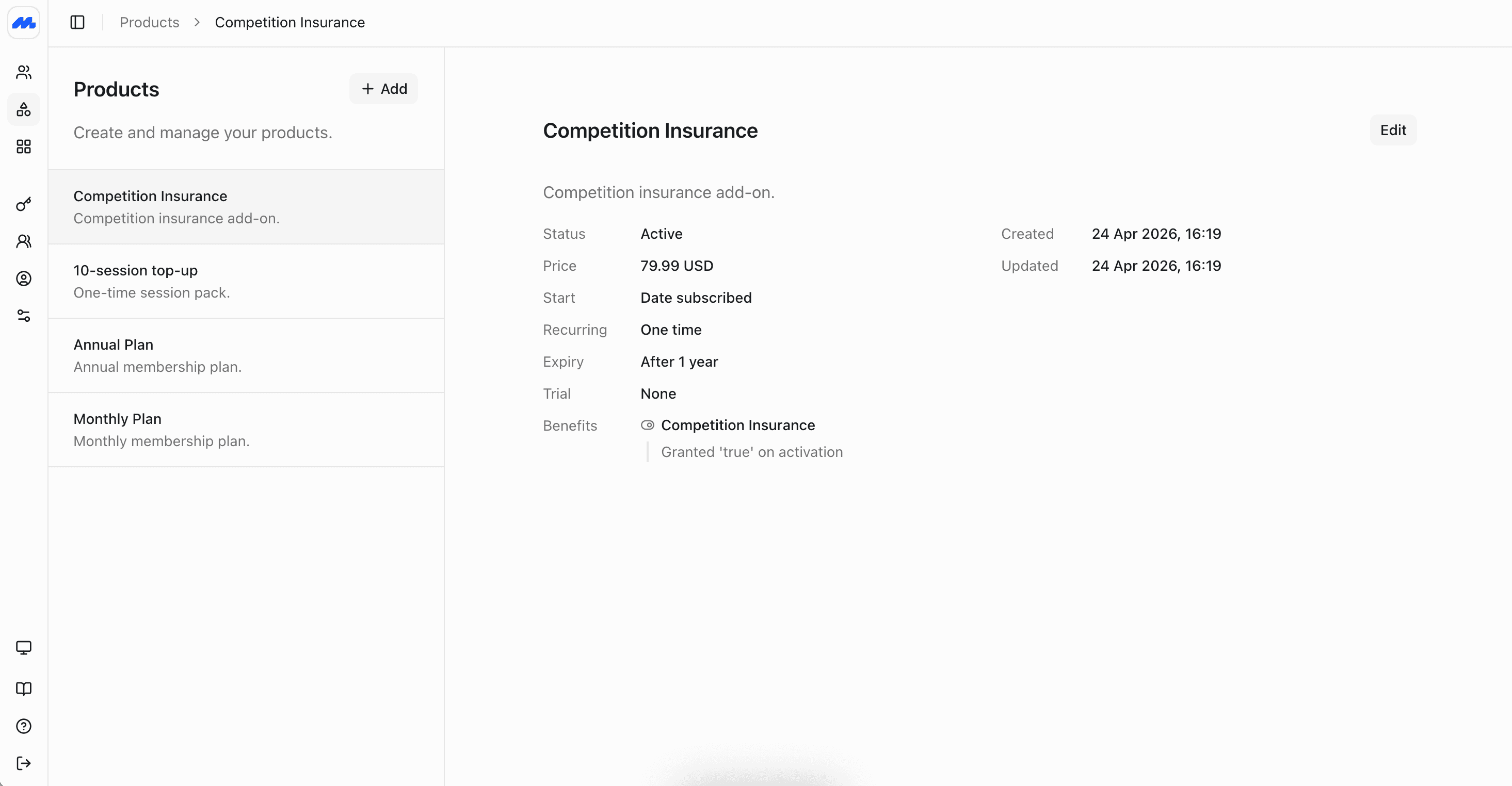
Products vs subscriptions
| Product | Subscription | |
|---|---|---|
| What it is | The catalog item you sell | A member's instance of that product |
| Examples | Individual Monthly, Family Annual, 10-Visit Pack | Jane's Individual Monthly plan starting 1 March |
| Defines | Price, interval, trials, joining fee, benefits, expiry rules | Who is covered, start date, status, invoices |
| Changes often? | Rarely, when you add a tier or change pricing | Continuously: renewals, pauses, upgrades, cancellations |
Create the product first. Then create subscriptions for the members who should receive it. Adding a product does not bill anyone; creating a subscription does.
Types of product
Every product is either recurring or one-off:
- Recurring: Renews on a schedule you set, such as monthly or annual membership. Invoices are created each cycle. Benefits stay active while the subscription is in good standing.
- One-off: Charged once. Use for credit packs, replacement cards, merchandise, or lifetime memberships that should not renew.
A joining fee is not a separate product. Configure it on the membership product so it is charged when someone first subscribes. Members can still hold more than one subscription at a time: for example a recurring membership plus a one-off supplemental product such as a credit pack or guest passes.
Examples of products
| Organization | Example products |
|---|---|
| Gyms and fitness studios | Monthly individual membership (recurring, optional joining fee); joint or couple plan (recurring group); PT session pack (one-off supplemental) |
| Spas, salons, and saunas | Monthly unlimited plan (recurring); 10-visit credit pack (one-off); treatment add-on (one-off supplemental) |
| Members' clubs and social clubs | Monthly or quarterly dues (recurring, optional joining fee); guest pass pack (one-off supplemental) |
| Golf clubs | Annual full membership (recurring, optional entrance fee); social or midweek category (recurring); buggy or range credit pack (one-off supplemental) |
| Sports clubs and associations | Seasonal or annual membership (recurring); junior or family plan (recurring group); kit fee (one-off); match-day guest passes (one-off supplemental) |
| Country clubs | Annual family membership (recurring group, optional initiation fee); individual golf or tennis category (recurring); locker or parking add-on (one-off supplemental) |
| Universities and colleges | Annual alumni or society dues (recurring); student term membership (recurring); lifetime membership (one-off); event ticket pack (one-off supplemental) |
| Professional associations | Annual membership by grade (recurring, optional application fee on the product); CPD credit pack or directory listing (one-off supplemental) |
| Loyalty and retail clubs | Monthly VIP tier (recurring); points or credit top-up (one-off supplemental); card replacement (one-off) |
| Permitting and certification bodies | Annual licence or permit renewal (recurring); exam retake or endorsement (one-off supplemental) |
The same catalog pattern repeats across programs: one or more recurring memberships (with joining fees configured on the product when needed), one-off products for packs or lifetime purchases, and supplemental products members buy on top when they need credits, guests, or extras.
What a subscription does
When you create a subscription:
- The member (or members, for a group plan) is linked to the product.
- Invoices are generated from the product's billing rules.
- Benefits defined on the product are granted according to those rules.
- Renewals, reminders, pauses, and cancellations all attach to that same subscription record.
Overdue invoices can pause the benefits tied to that payment. Credit notes and refunds are available when you need to correct a charge. See Billing for invoices, payments, and credit notes.
Subscription statuses
A subscription is typically in one of these states:
- Trialing: In a trial period before the first paid invoice is due.
- Active: Paid and entitled.
- Past due: An invoice is unpaid. Benefits may be paused depending on your rules.
- Paused: Temporarily interrupted. Billing and access follow the pause settings.
- Cancelled: Ended. Access stops either immediately or at period end, depending on how you cancelled.
Ways to work with products and subscriptions
Create a product
Define recurring memberships and one-off charges in your catalog.
Create a subscription
Subscribe a member to a product and confirm the first invoice.
Next steps
- Create products before you subscribe anyone, so pricing and benefits are correct from the first invoice.
- Add members if the people you want to subscribe do not have profiles yet.
- Manage subscriptions once plans are live: upgrades, renewals, pauses, cancellations, and overdue invoices.
- Set up benefits so entitlements, schedules, and usage match what each product includes.