
Creating Subscriptions
Subscribe members to products and confirm invoices are created correctly for their billing cycle.
Overview
A subscription connects a member to a product. Once it exists, Members will generate invoices based on the product's billing rules, grant associated benefits to the member, and handle renewals.
You need a member profile and a product before you create a subscription. Creating the subscription and making the first payment (if applicable) starts billing and entitlements for that person.
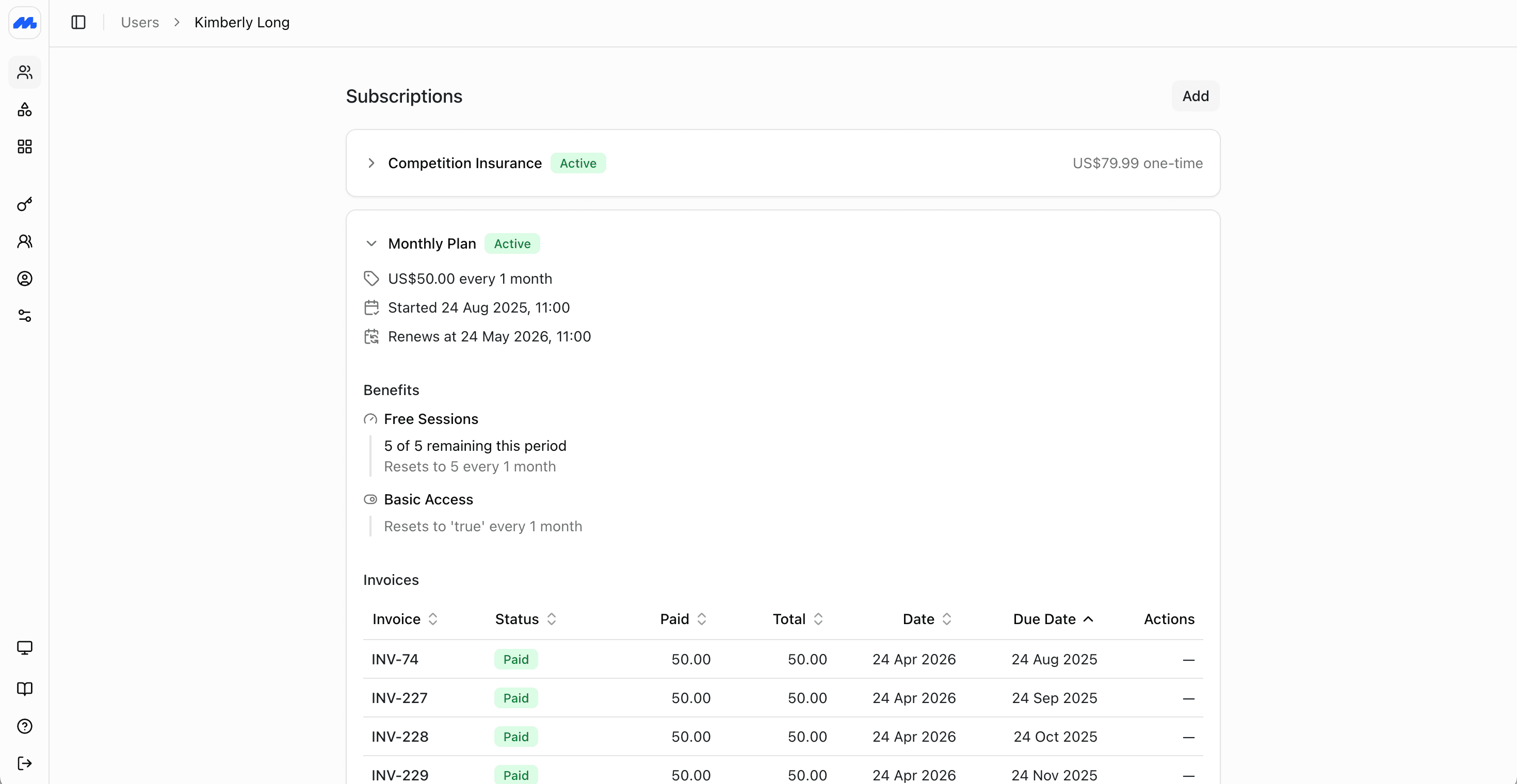
Create a subscription
In the admin dashboard, open the member's profile, and click Add on the Memberships tab
Choose the product
Pick the recurring or one-off product. The price, interval, trial, and benefits come from that product.
Choose additional members
If the product is set up to allow group/joint memberships, select additional members who should be covered. See Group Subscriptions.
Confirm timing
Staff can override the automatic start date, including backdating or postdating it to start in the future.
Set joining fee
Staff can also override the joining fee for a subscription, useful for promotions where the fee is reduced or waived.
Add a payment method (optional)
Select an existing payment method, or add a new one. The payment method will be charged immediately after the subscription is created, or when the trial ends.
Review and Confirm
Before creating the subscription and charging the payment method, you are shown a preview of the subscription, including trial dates, when the first payment will be made, next renewal, and expiry. We suggest confirming this with the member to avoid confusion.
When ready, confirm to create the subscription and charge the payment method.
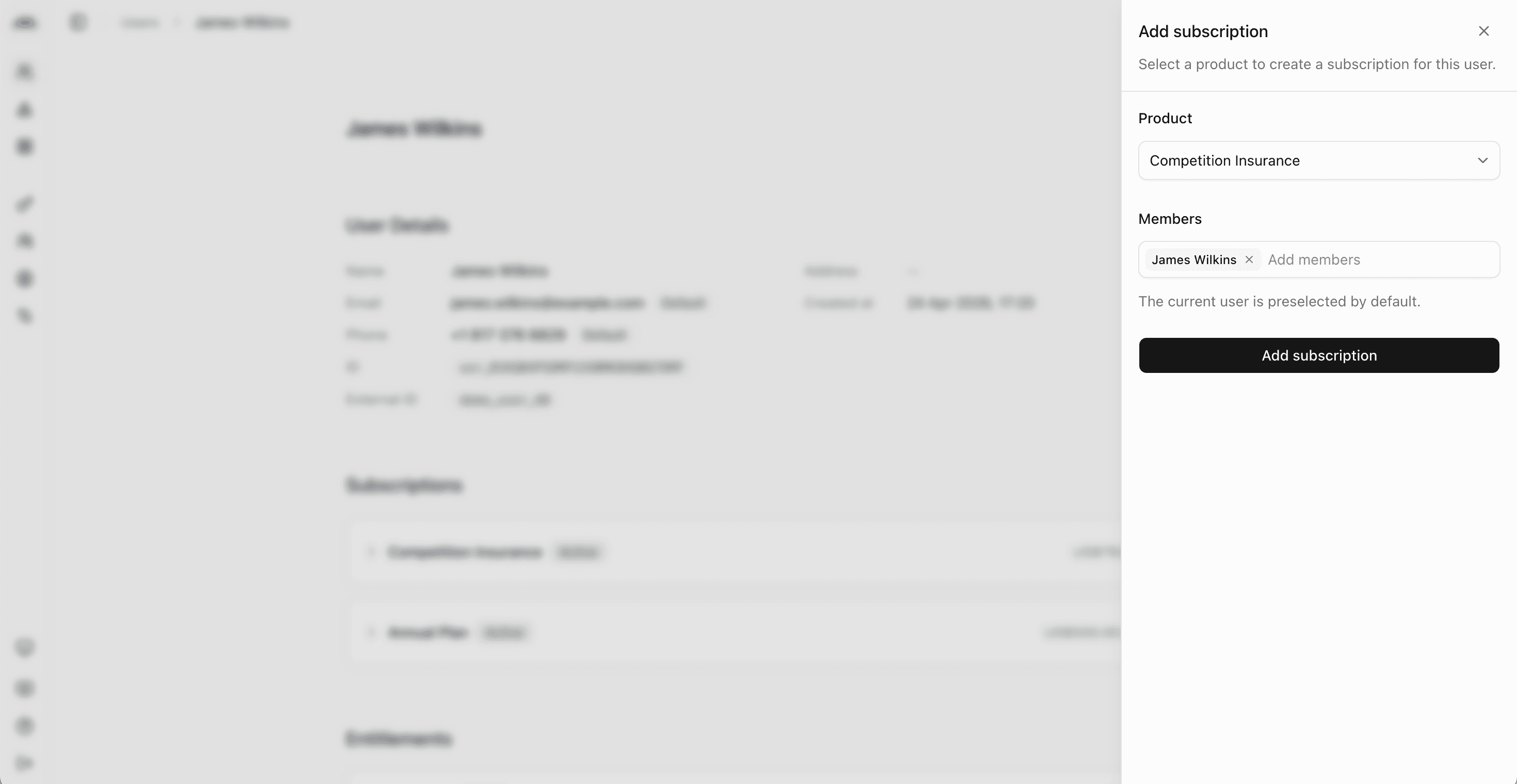
The same create flow is available on the Create Subscription endpoint if you are subscribing people from another system.
For how renewals, invoices, payment methods, and past-due status work after the subscription exists, see How subscription billing works.
Multiple subscriptions
A member can hold more than one subscription at once, such as a base membership plus a credit pack. This is common for clubs where members buy a base membership and then purchase credits for activities like events, equipment hire, or lessons.
Members purchasing themselves
When sign-ups are allowed, members can purchase memberships from the member website and app after their profile is active. Members cannot override the start date, price or joining fee of a subscription when purchasing themselves.
Staff-created subscriptions are the usual path for imports, walk-ins, and plans that should exist before the person is invited.
After the subscription exists
- Manage the subscription for upgrades, renewals, pauses, cancellations, and overdue invoices.
- Invite the member if they should manage payments and renewals themselves in the member website and app.