
Creating Products
Create recurring membership products and one-off charges for credit packs, add-ons, and other non-renewing purchases.
Overview
Create a product when you are defining what members can buy: a recurring membership subscription, a one-off membership purchase, or top-up credit packs.
Creating a product does not bill anyone or grant benefits. Those happen when a subscription is created.
Products are highly configurable, so the same product model can cover memberships, credit packs, add-ons, and other charges. Use the schedule, price, join fee, visibility, and benefit settings to match the type of product you sell.
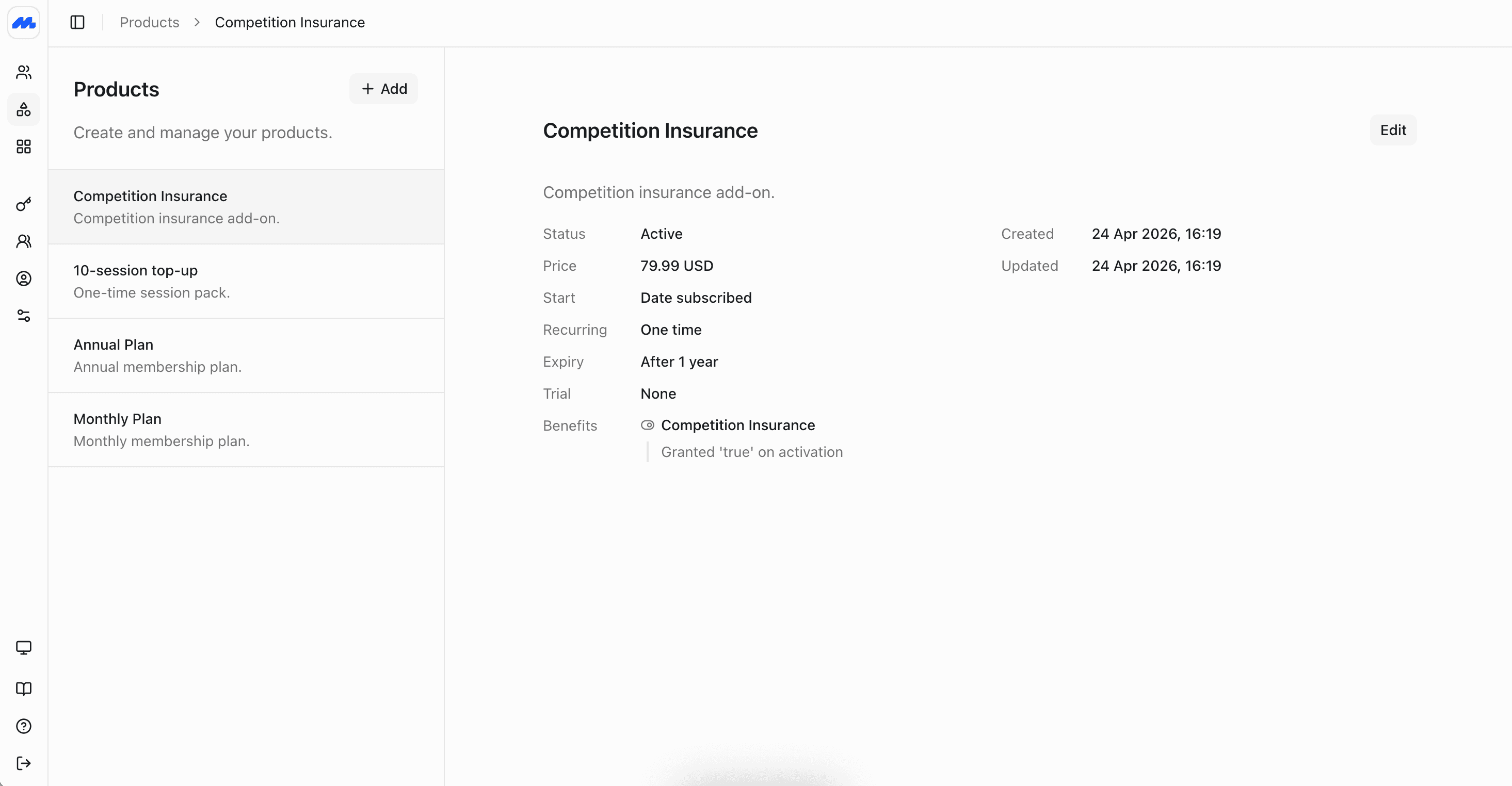
Product settings
| Setting | What it controls |
|---|---|
| Name and description | The label staff and members see. Use a clear name like “Individual Monthly” or “Social Membership”, and add a short description of what is included. |
| Image | An optional image shown in the admin list and on the member website and app. Accepts PNG, JPEG, or WebP, up to 10 MB. |
| Member visibility | Controls whether members can see and subscribe to the product themselves. Turn this off to keep the product staff-only. |
| New members only | When enabled, only people who have never purchased a product can be covered on a new subscription. Handy for intro offers. When disabled, anyone can subscribe. |
| Billing | How often the product bills. Choose One time for a single charge, or an Interval such as every month or every 3 months. |
| Starts | When the subscription term begins. Date subscribed starts at purchase. Fixed uses the same start date for everyone, which suits memberships that run from the same date each year. |
| Expiry | When the subscription ends. Never means there is no end date: a recurring product renews until cancelled or paused; a one-off product stays entitled indefinitely. After duration ends after a set length of time. After occurrences ends after a set number of renewals. Fixed ends on the same date for everyone. |
| Trial | An optional free period before paid billing starts, such as 2 weeks. Choose None if there is no trial. |
| Price | How the product is charged. Fixed uses one set amount. Custom lets the buyer choose an amount within optional minimum and maximum limits. Free charges nothing. |
| Join fee | An optional one-time amount charged on the first invoice when someone first subscribes to this product. Renewals do not include it. Leave empty or zero for no joining fee. Do not create a separate joining-fee product. |
| Joint membership | How many members one subscription can cover. Single covers one person. Raise the limit for joint or family plans, or leave it unlimited. See Group Subscriptions. |
| Benefits | Entitlements granted when someone subscribes, such as access, credits, and guest passes. You can also control how those benefits renew and when they expire. See Benefits. |
| Status | Active products are available for new subscriptions. Archived products stay on file but are not offered for new purchases. |
When staff create a subscription, start date and joining fee are overrideable.
Recurring vs one-off
Use Billing to choose the pattern:
- Interval: Memberships and plans that renew on a schedule, for example every month or every 3 months. Invoices are created each cycle while the subscription is active.
- One time: Credit packs, replacement cards, merchandise, lifetime memberships, and other charges that should not renew. The purchase is still a subscription; it simply does not recur.
Joining, entrance, and initiation fees belong on the membership product as a join fee, not as standalone one-off products.
Example products
These are typical catalog items for clubs, gyms, and associations. Use them as a starting point and adjust the schedule, price, and benefits to match your program.
Individual Monthly
A standard gym or studio membership for one person, with a short trial so new joiners can try before they pay.
- Billing: Interval, every 1 month
- Starts: Date subscribed (the term begins when they buy)
- Expiry: Never. The subscription renews each month until it is cancelled or paused
- Trial: 2 weeks. Billing starts after the trial ends if they stay subscribed
- Price: Fixed (for example $45 per month)
- Join fee: A one-time amount (for example $50) added to the first invoice only, not to renewals. Use this for entrance or initiation fees instead of a separate product
- Joint membership: Single (one person covered)
- Benefits: Facility access, renewing each billing cycle while the subscription is active
Family Annual
A household plan that covers several people on one subscription and renews once a year, common for sports clubs and country clubs.
- Billing: Interval, every 12 months
- Starts: Fixed (for example 1 January), so every household shares the same club year regardless of when they joined
- Expiry: Never. The plan renews each year until cancelled. Use Fixed expiry instead if the membership should end on a set date with no auto-renewal
- Trial: None
- Price: Fixed (for example $650 per year)
- Join fee: A one-time initiation fee (for example $200) on the first invoice when a new household joins. Later renewals are dues only
- Joint membership: Up to 5 members on the same subscription and invoice. See Group Subscriptions
- Benefits: Grounds Access (will be applied to every family member for the year), and 5 free sports sessions (allowance pooled across family members).
10-Visit Credit Pack
A one-off top-up members buy on top of a membership, or as a casual option, for visits, classes, or guest passes.
- Billing: One time (charged once, does not renew)
- Starts: Date subscribed
- Expiry: After duration (for example 12 months), so unused credits expire instead of lasting forever
- Trial: None
- Price: Fixed (for example $120)
- Join fee: None. Joining fees make sense on membership products, not on supplemental packs
- Joint membership: Single
- Benefits: 10 visit or class credits, granted once when purchased
Members can hold this alongside a recurring membership. See Creating Subscriptions.
Club Merchandise
A one-off purchase for items like branded kit, towels, or water bottles. Useful when you want merchandise on the same invoice system as memberships.
- Billing: One time
- Starts: Date subscribed
- Expiry: After duration (for example 1 day) is usually enough, since this is a purchase rather than an ongoing plan
- Trial: None
- Price: Fixed (for example $35)
- Join fee: None
- Member visibility: Set to off if staff sell it at the desk
- Joint membership: Single
- Benefits: Usually none, unless the item also unlocks something (for example a locker key deposit tied to access)
Product variants
In Members, you do not create variants of a product. Each product has a single pricing model, schedule, and set of benefits. To create monthly and yearly options, create two products and present them as choices side by side using product categories.
For example:
| What you offer | How to model it |
|---|---|
| Individual monthly and individual yearly | Two products: Individual Monthly and Individual Yearly |
| Individual and family on the same cadence | Two products: Individual Annual and Family Annual |
| Membership with a concession rate | Two products: for example Monthly, and Concession Monthly |
This keeps each offer self-contained: its own price, trial, join fee, joint membership limit, and benefits. Admins can edit one plan without affecting another. Members see a clear choice instead of nested options on a single catalog item.
When someone moves between those plans later, treat it as changing subscription from one product to another. See Managing Subscriptions.
Product categories
Product categories group related products and control how they appear on the member website and app. Give each category a title and optional description, reorder categories, and order the products inside them.
Typical categories include Intro offers, Memberships, and Credit packs. Put monthly and yearly plans in the same category so members can compare them side by side.
To edit your product categories, press the 'Categories' button on the Products page, or click here.
After the product exists
Check the product: name, visibility, schedule, price, join fee, joint membership rules, and benefits. From there you can:
- Create a subscription for a member who should receive it.
- Set up a group plan if more than one person shares the same membership.