
Create Subscriptions
Subscribe a member to a product and confirm the first invoice, then use the full subscriptions guide for details.
Overview
A subscription connects a member to a product. Once it exists, Members generates invoices from the product's billing rules and grants any associated benefits.
You need at least one member and one product before you create a subscription.
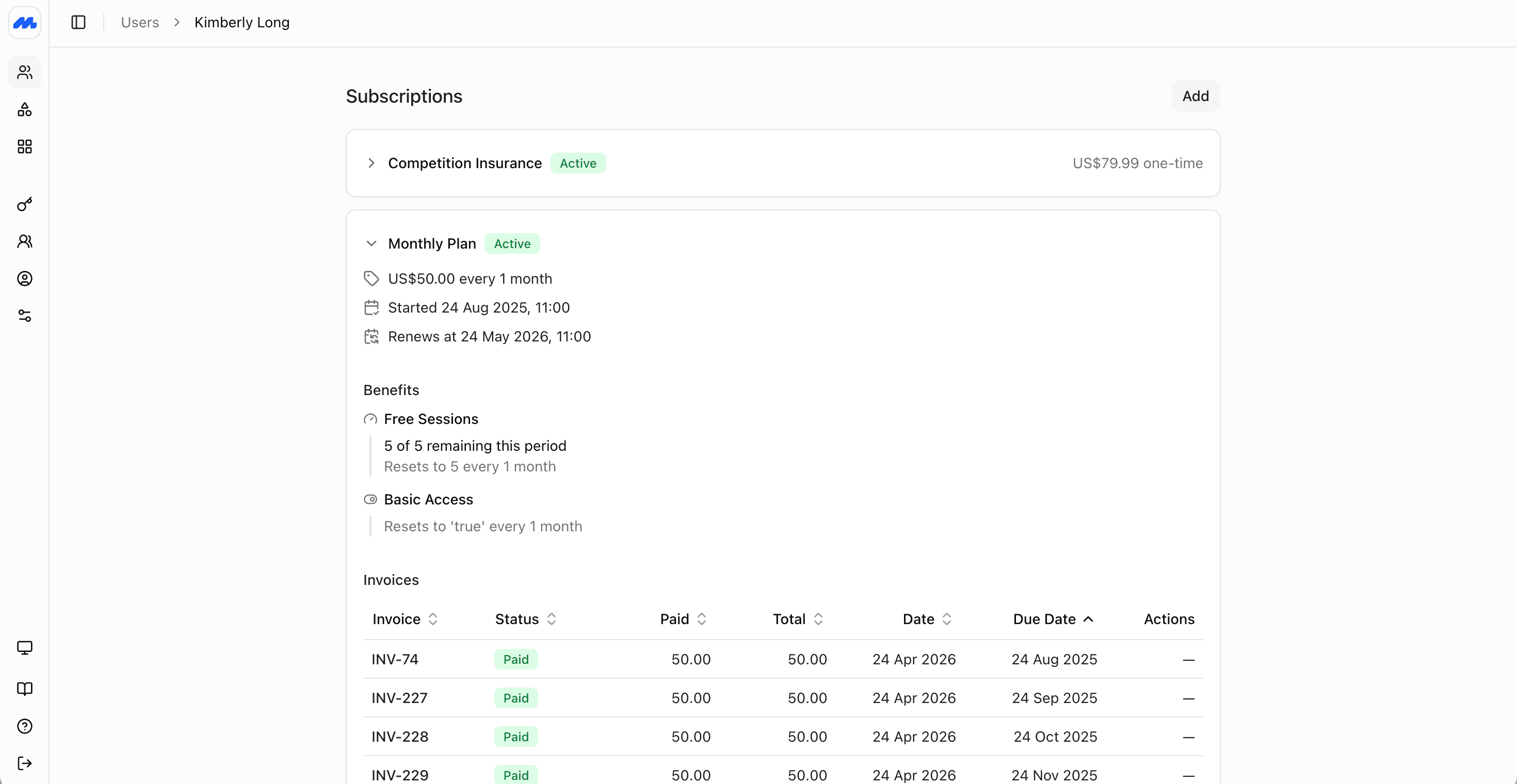
Create a subscription
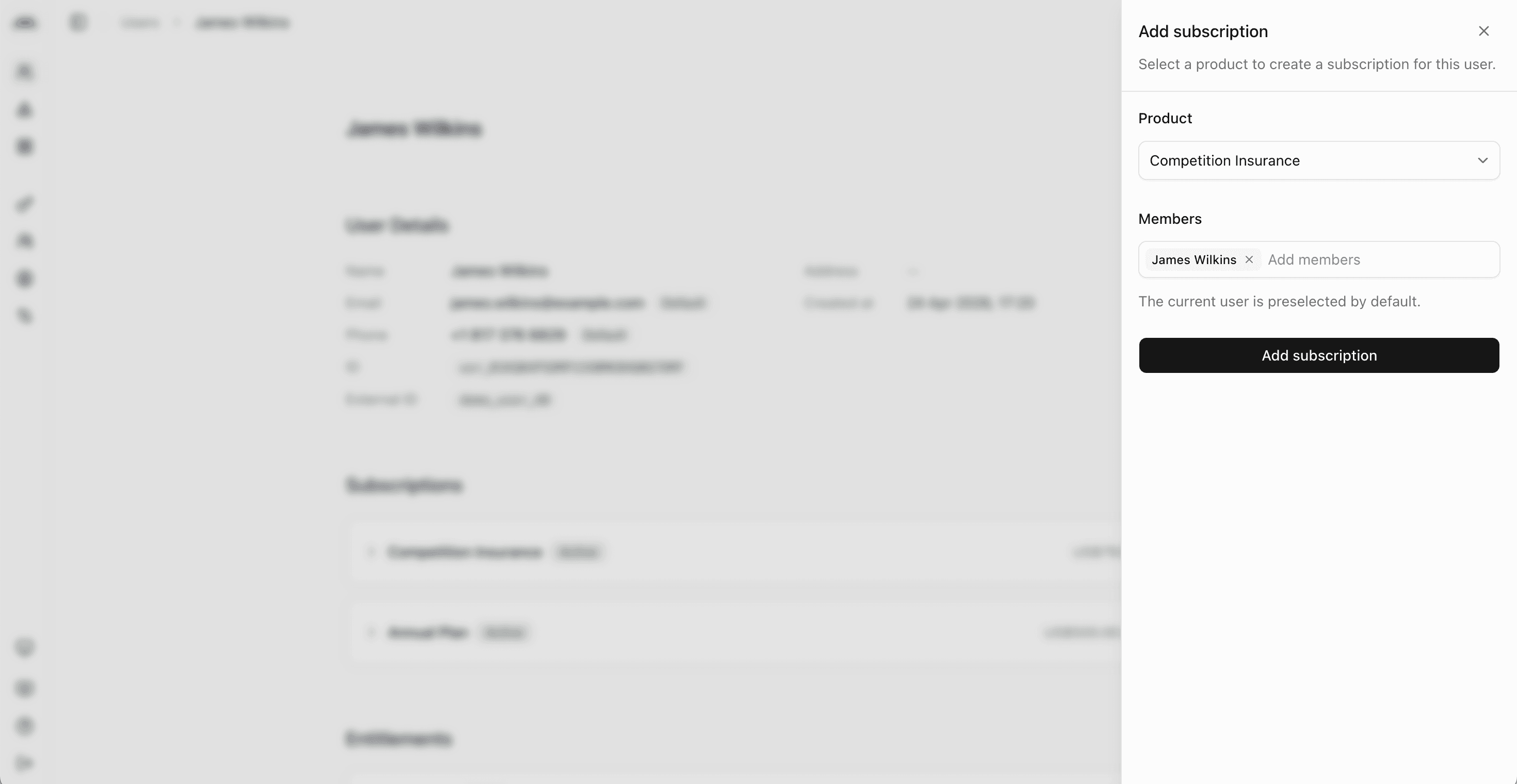
In the admin dashboard, open the member's profile and add a subscription on the Memberships tab.
- Choose the product
- Confirm the start date and any joining fee if prompted
- Create the subscription
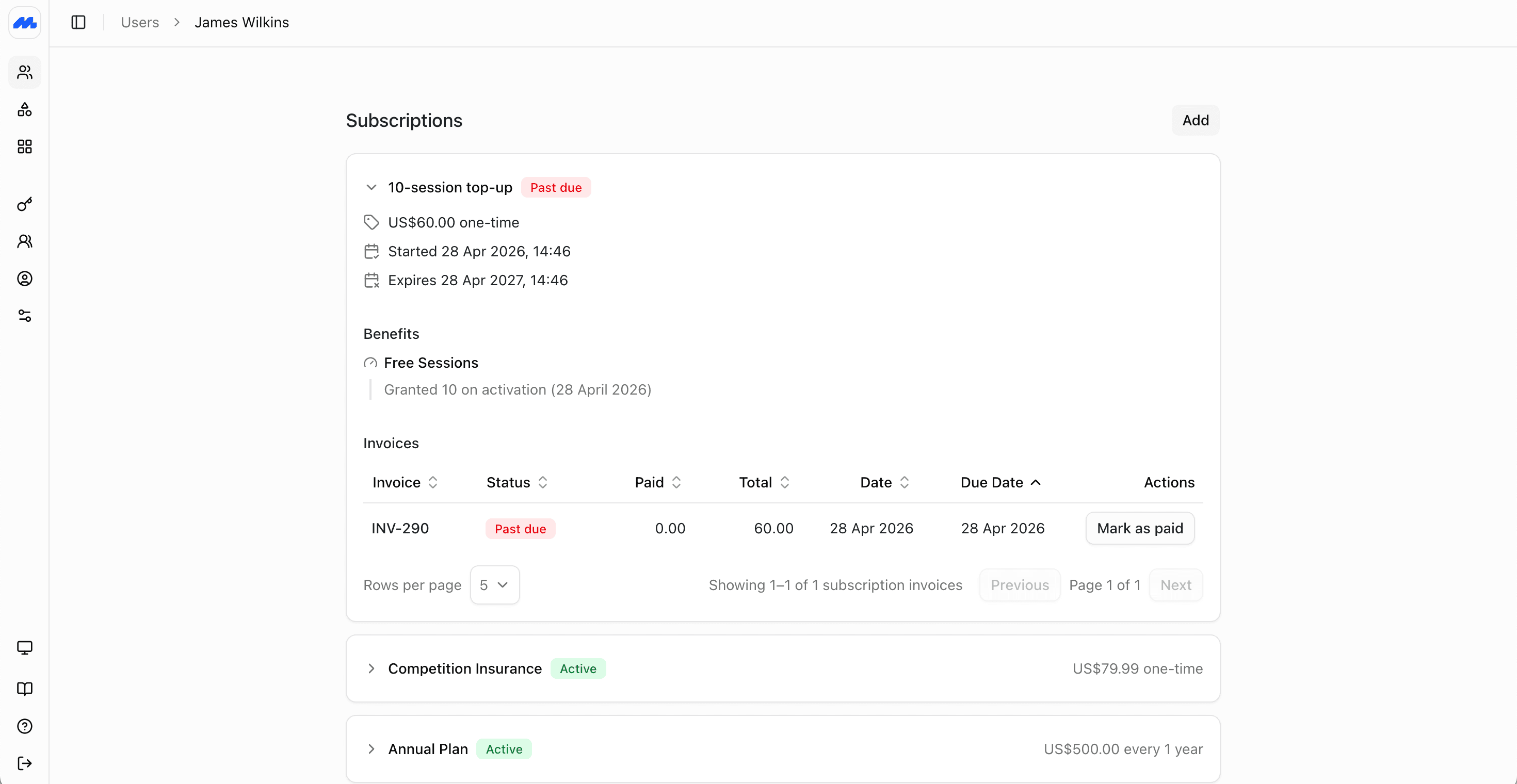
Then check that the invoice and amount look right.
Full subscriptions guide
For start dates, joining fees, trials, group cover, and billing checks, see Creating Subscriptions.
Next steps
- Manage Subscriptions for plan changes, cancellations, and overdue payments.