
Grants, Schedules, and Usage
Grant benefits to members via subscriptions or directly, renew them on schedules, record usage, and check entitlements.
Overview
A benefit in the catalog is only a definition. Members receive entitlements as grants, often issued by schedules tied to products and subscriptions. Usage events then deplete, credit, or record consumption against those grants.
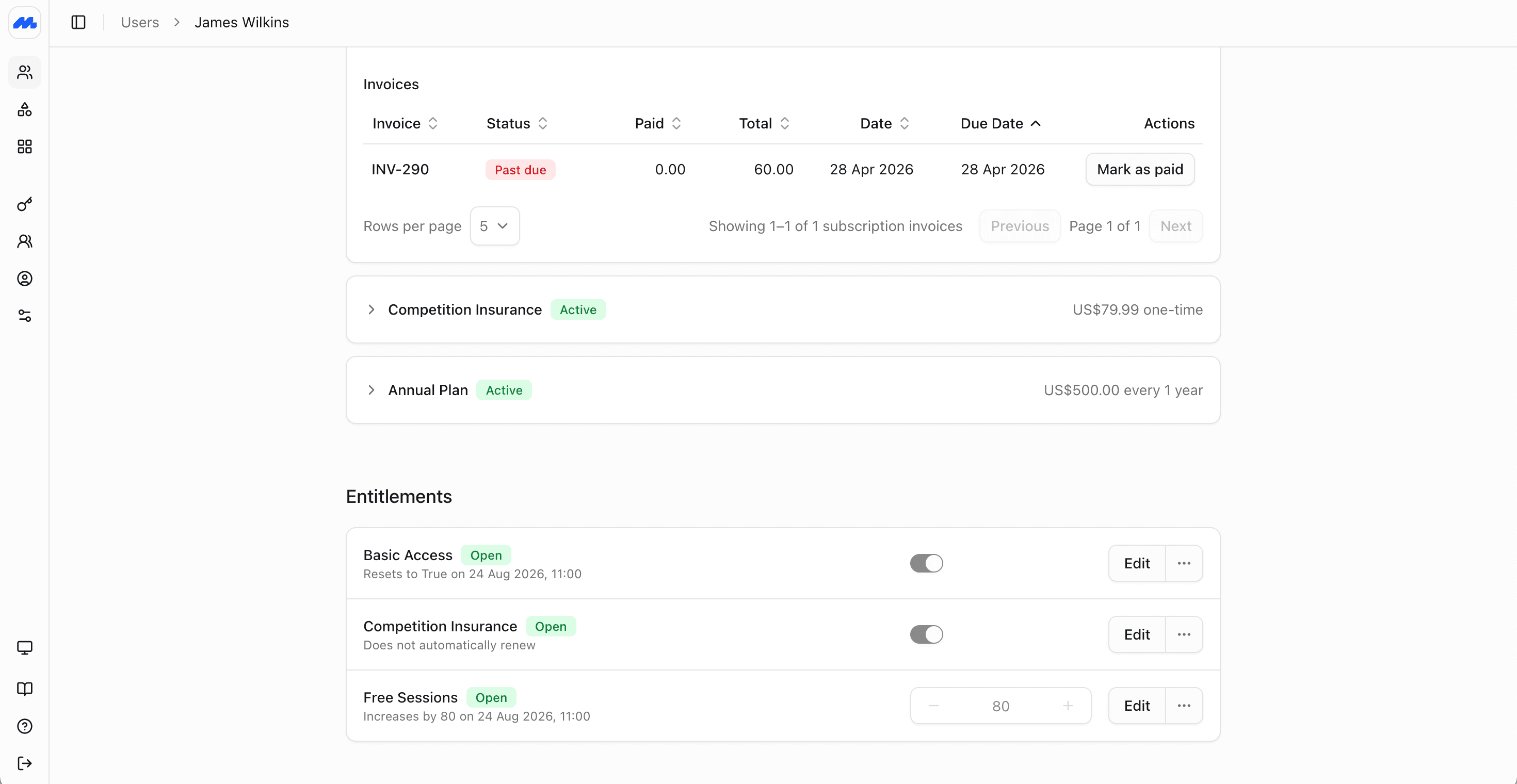
This page covers the full loop: how grants appear, how schedules renew them, how usage works (including one event across multiple grants and negative usage for credits), and how to check what a member is entitled to.
Grants
A grant is a member's instance of a benefit: starting value, current value, start time, optional expiry, and status.
| Field | Meaning |
|---|---|
| Members | One or more member IDs. A single grant can cover several people (pooled allowance), or one person only. |
| Benefit | Which catalog benefit this grant is for. |
| Status | scheduled, open, depleted, expired, or revoked. |
| Starts / expires | When the grant becomes usable, and when it ends by time (if it ends). |
| Value | For meters: initial balance, current balance, and amount consumed (null balance means unlimited). For boolean/custom: the on/off or text value. |
| Parent | Optional links to the schedule, subscription, and product that produced the grant. |
Open grants are what access checks and usage allocation use. Depleted meter grants have hit zero. Expired and revoked grants no longer entitle the member.
How members get grants
Through subscriptions (usual path)
- Benefits are attached to a product with schedule templates.
- Creating a subscription starts those schedules for the covered members.
- Each schedule renewal issues new grants (or refreshes balances) according to the template: amount, recurrence, and per-grant expiry.
Billing and entitlements stay aligned. Past-due or paused subscriptions can suspend the benefits tied to that payment until the member is in good standing again. See Managing Subscriptions.
Stacked subscriptions on one profile combine. A recurring membership plus a one-off credit pack both contribute grants; entitlement checks and usage see the combined picture.
Shared vs separate on group plans
On a group subscription, you can issue:
- Pooled grants with several
member_ids, so one balance is shared across the household or team - Per-member grants, so each person has their own allowance
For example, a family plan might share 10 sessions across everyone, while a corporate plan gives each employee their own 10 sessions.
Granting benefits directly
Create a benefit grant for specific members when there is no product purchase: complimentary access, a loyalty adjustment, a migration balance, or a staff correction. For renewing entitlements without a subscription, create a schedule directly instead.
This is particularly useful for when the member is accuring points with different expiries. For example in a hotel loyalty program, each stay can grant points with a 12-month expiry. Members can see their overall points balance, and the expiry schedule of each grant. When redeeming points, usage is allocated first-in, first-out by default, so older grants are consumed first.
Direct grants still use the same statuses, usage allocation, and entitlement APIs as subscription-backed grants.
Schedules
A schedule is the engine that issues grants over time. It has:
- The members who receive grants
- Recurring rules (
never, or an interval such as every month) - Expiry for the schedule itself (
never, after a duration, after a number of occurrences, or a fixed date) - One or more grant templates (which benefits, starting values, and how long each issued grant lasts)
Schedules often come from the product when someone subscribes. Each schedule tracks its own status (scheduled, active, past_due, paused, canceled, expired) and the next automatic event (activate, renew, or expire).
Creating schedules directly
Create a benefit schedule for specific members when entitlements should renew without a product subscription or invoice. Use this for complimentary renewing access, staff corrections that need to top up on a cadence, or loyalty programs that issue grants on their own rules.
When you create a schedule directly, you set:
- Which members receive grants
- The recurring interval (
never, or every day, week, month, and so on) - When the schedule itself expires (
never, after a duration, after a number of occurrences, or a fixed date) - One or more grant templates: which benefits to issue, starting values, and how long each grant lasts
Direct schedules issue grants the same way subscription-backed schedules do. The grants still appear in entitlements and can be consumed with usage events. Because there is no linked subscription, billing status does not pause or cancel them automatically; pause or cancel the schedule itself when access should stop.
Independent renewal and expiry
Schedule recurrence and grant expiry are separate. That is what lets a monthly-paid product still issue a guest pass that lasts a year, or top up sessions monthly while access lasts for the whole membership term.
| Example | Schedule recurrence | Grant behaviour |
|---|---|---|
| Monthly gym access | Every month with the subscription | Boolean access grant each period while the plan is active |
| 10-visit pack | Never (one-off product) | Meter grant of 10, expires after 12 months |
| Guest pass on an annual plan | Every month | Meter grant of 1 each month, each grant expires after 12 months (rollover) |
| Loyalty points top-up | Never, or on purchase of a points product | Meter grant credited to the points benefit |
Usage events
Record usage when something happens in the real world: a door scan, class check-in, guest redemption, till discount, or points earn/spend.
Create usage in the admin dashboard from the member's entitlements, or via Create Benefit Usage.
Meter usage
For meter benefits, each usage event includes:
- The member (
member_idorexternal_member_id) - The benefit (
benefit_idand/ormeter_event_name) - A value (how much to apply)
- Optional grant pin (
benefit_grant_id) if a specific grant should be used first - Optional external_id for idempotency if your system might retry
Positive values consume balance. The service allocates the amount across the member's open grants for that benefit, unless you pin a grant.
How usage is allocated to grants
A member often holds several open meter grants for the same benefit: leftover credits from last month, a new renewal top-up, and a supplemental pack. From the member's point of view those grants look like one balance. Behind the scenes, each usage event is allocated across the open grants.
By default, Members uses first-in, first-out (FIFO): the oldest open grant is consumed first. If that grant does not cover the full amount, the remainder moves to the next oldest open grant, and so on, until the event is fully allocated or no balance remains. One usage event can therefore deplete multiple grants.
Pin a specific grant with benefit_grant_id when you need a different grant used first. Allocation then starts with that grant, and any remainder continues in FIFO order across the remaining open grants.
Each usage record exposes:
- amount_allocated: how much of the event has been applied
- allocation_status:
unallocated,partially_allocated, orallocated
That keeps stacked packs and rollover periods simple for members and staff, while preserving grant-level history for audits.
One usage event across multiple benefits
A single usage event can update more than one benefit when those benefits share a meter_event_name.
For example, a loyalty program might track current points (spendable balance) and lifetime points (all-time accrued total) as two separate meter benefits. Give both the same meter_event_name, such as loyalty_points. When a purchase accrues points, one Create Benefit Usage call that targets that meter event name credits both balances.
Use benefit_id instead when the event should affect only one of those benefits. A redemption might target the current-points benefit only, so lifetime points stay unchanged.
Negative usage and credits
Meter value is a signed integer. Send a negative value to credit the balance: loyalty points earned, a goodwill top-up, or correcting an over-charge at the desk.
For example, a hospitality points scheme can:
- Use positive usage when points are redeemed
- Use negative usage when points are earned or manually credited
Meter grant balances are changed by usage events, not by editing value_current on the grant. Boolean and custom grants can have their current value updated directly when you need a staff override.
Boolean and custom usage
Boolean and custom usage records that the benefit was used or inspected for a member. Custom usage can optionally set a new text value at the same time. These kinds do not allocate across meter balances.
Checking entitlements
Before giving access, confirming a booking, or applying a discount, you can check in Members what the member currently is allowed.
- In the admin dashboard, open the member and review the Entitlements section: status, next refresh, and current balances or toggles.
- On the API, get the member entitlements for a resolved entitlement view across all benefits (type, status, value, and next update).
- List or filter grants when you need grant-level detail (which subscription or product, expiry, consumed amount).
An entitlement for a meter benefit typically shows the combined usable balance and whether status is open. Boolean entitlements show whether access is currently on. Use status, not only the raw value, so depleted, expired, and revoked grants are not treated as active access.
Practical patterns
| Goal | Approach |
|---|---|
| Membership access tied to payment | Boolean benefit on the recurring product; suspends when the subscription is past due |
| Credit pack on top of membership | One-off product with a meter benefit; usage allocates across membership top-ups and pack grants together |
| Loyalty points | Meter benefit; negative usage to credit, positive usage to redeem. Share a meter_event_name across current and lifetime point benefits so one accrual updates both |
| Comp a month of access | Direct boolean grant or temporary schedule for the member |
| Family shared sessions | Group subscription with a pooled meter grant (member_ids for the household) |
| Per-seat corporate credits | Group subscription with separate meter grants per employee |